


Music Box / Menus Help -anyone know japanese? trying to decipher my JDM Skyline!


Thread Starter
Registered User
Joined: Oct 2008
Posts: 161
Likes: 0
From: Gold Coast, QLD Australia
Music Box / Menus Help -anyone know japanese? trying to decipher my JDM Skyline!
Hey guys,
any help would be greatly appreciated!

what are these buttons on the right?
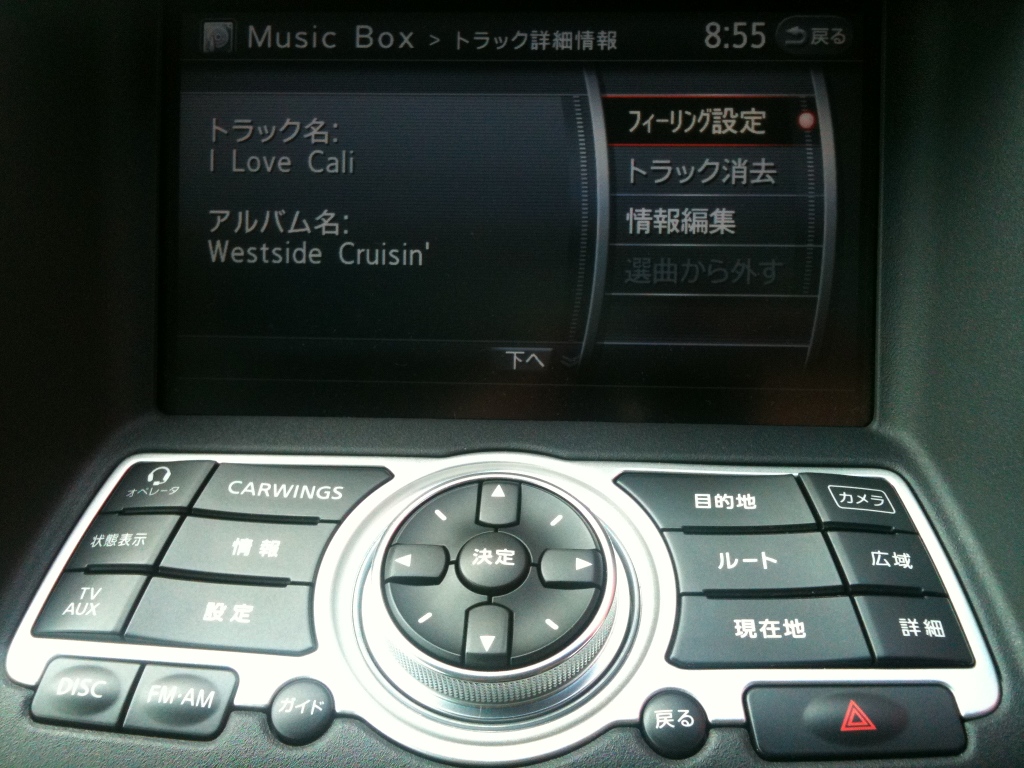
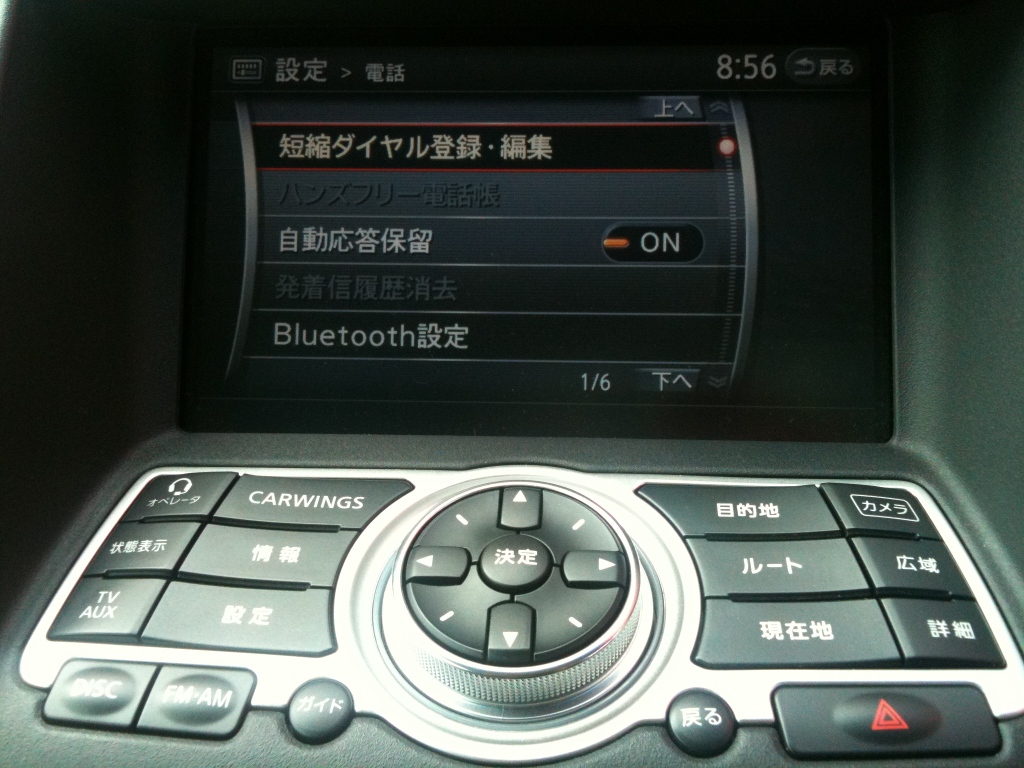
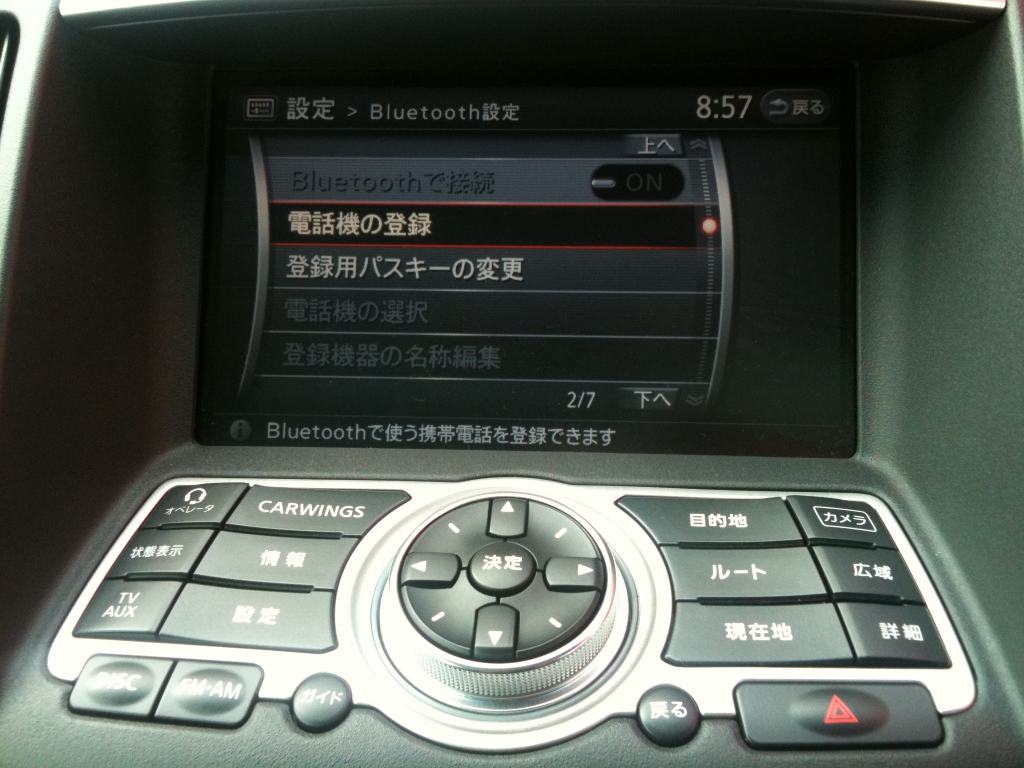
how do i pair my iphone! i can't get them to talk to eachother! haha
does the US model have the front mirror cameras too?

any help would be greatly appreciated!
what are these buttons on the right?
how do i pair my iphone! i can't get them to talk to eachother! haha
does the US model have the front mirror cameras too?


Mr. Drop it like it's hot
iTrader: (10)
Joined: Dec 2009
Posts: 6,135
Likes: 39
From: Lawrenceville, GA
You should be able to download the english manual and see the button labels. Not sure if it's done differently since its RHD JDM. I'd assume so.
http://www.infinitiusa.com/ownership...oupe&year=2010
http://www.infinitiusa.com/ownership...oupe&year=2010

Registered User
Joined: Mar 2010
Posts: 296
Likes: 4
From: Tokyo, Japan
Totally different, there are specific buttons on the GPS support desk. Basically you press it, and the car will dial to support center, where you can ask where is a good restaraunt or department store, they will locate your car log into it, and point it on the map for you.
Unfortunately they won't be able to locate a local hungry jacks or red rooster for you, so don't bother. that's the top left button. I will help you out on the rest a bit later.
Unfortunately they won't be able to locate a local hungry jacks or red rooster for you, so don't bother. that's the top left button. I will help you out on the rest a bit later.

Registered Member
Joined: May 2007
Posts: 295
Likes: 0
From: New York
I'll do the best with the pictures you posted. rough translation, not exactly what may be in the manual. hope this helps.
Hey guys,
any help would be greatly appreciated!
what are these buttons on the right?
zoom in/out I would assume.
the button that starts Japanese talks says "guide"
if you mean the buttons on the LCD in pictures below they are from top:
"feeling setting" - translates to mood setting I guess
"erase track"
"edit information"
two options enabled in above says,
"register phone"
"change registered phone password"
any help would be greatly appreciated!
what are these buttons on the right?
zoom in/out I would assume.
the button that starts Japanese talks says "guide"
if you mean the buttons on the LCD in pictures below they are from top:
"feeling setting" - translates to mood setting I guess
"erase track"
"edit information"
two options enabled in above says,
"register phone"
"change registered phone password"

Registered User
Joined: Feb 2010
Posts: 797
Likes: 3
From: Maryland
Does the CARWINGS button make it fly?
Yours looks somewhat reversed than mine. Is yours RHD or something? For example, my english one has the satnav buttons on the left and and Info/settings on the right. My back button is opposite yours, and the one on the other side is for voice dialing.
So maybe this will help a little if you look at it in a mirror

Yours looks somewhat reversed than mine. Is yours RHD or something? For example, my english one has the satnav buttons on the left and and Info/settings on the right. My back button is opposite yours, and the one on the other side is for voice dialing.
So maybe this will help a little if you look at it in a mirror

Registered User
Joined: May 2009
Posts: 48
Likes: 0
From: NorCal
Trending Topics
Thread Starter
Registered User
Joined: Oct 2008
Posts: 161
Likes: 0
From: Gold Coast, QLD Australia
Hey guys,
have worked out most of it, still sussing some of the bluetooth & audio menus, but have at least worked out how to delete albums, rename albums, delete songs, add songs and connect my phone....
(though for some reason when people call it immediately goes to message bank and hangs up when it's connected via bluetooth, yet when i dial them back it works sweet)?
have worked out most of it, still sussing some of the bluetooth & audio menus, but have at least worked out how to delete albums, rename albums, delete songs, add songs and connect my phone....
(though for some reason when people call it immediately goes to message bank and hangs up when it's connected via bluetooth, yet when i dial them back it works sweet)?

Thread
Thread Starter
Forum
Replies
Last Post
butwhatuptho
Audio, Video & Electronics
15
Oct 4, 2015 07:51 PM
