When you click on links to various merchants on this site and make a purchase, this can result in this site earning a commission. Affiliate programs and affiliations include, but are not limited to, the eBay Partner Network.
Hi I have a 2009 g37 coupe with navi and want to do the update system(have all parts already) seeing I have mic and antenna and gps in already and the wiring behind the radio, what steps would I have to do? Just rewire the plug? And where can I find the diagram for my car if so thanks and please email me at crazyfella89@yahoo.com thanks again
I cant get display on my screen. Im doing a swap in a 08 g37. Got the parts from a donor 08 g35. I have some wires that i dont know where to connect them to. Is this thread still active ro help me out?
I don't want to crap on this thread because its a killer mod but...
For those just looking to get Bluetooth music streaming, there's a MUCH cheaper route. I bought:
BT receiver on amazon for $20
6" - 3.5 headphone jack to RCA cord for $2
Plug it in to the RCA, tuck it away in the center console, pair your phone and you're done. It automatically connects to your phone when the car starts just like OEM. Totally wireless streaming music, phone calls, GPS etc from your phone for under $25. I love mine.
I don't want to crap on this thread because its a killer mod but...
For those just looking to get Bluetooth music streaming, there's a MUCH cheaper route. I bought:
BT receiver on amazon for $20
6" - 3.5 headphone jack to RCA cord for $2
Plug it in to the RCA, tuck it away in the center console, pair your phone and you're done. It automatically connects to your phone when the car starts just like OEM. Totally wireless streaming music, phone calls, GPS etc from your phone for under $25. I love mine.
Not everyone has the RCA port, like my 2010 it has the USB port for just iPhones...
Anyone know what might be my problem with this install? so far i got everything hooked up and working minus the rear view camera... when i put it into reverse i get image but a very garbled mess. like if its scrambled. anyone know what be might the cause?
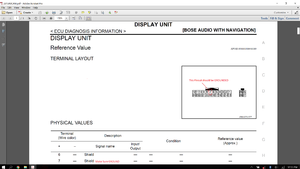
I had the same problem. For me, I had to make sure that Pin #7 (SHIELD) at the Display Connector (M75) was grounded. Once I grounded that wire the image came in crystal clear.
I have a 2012 G37 sedan non-NAV with BOSE. I recently swapped out the head unit and the nav control panel for a 2013 head unit with NAV using this DIY guide.
Everything works except for the climate controls and the navigator controls. Only buttons circled in blue work (see picture below)
The airbag light also keep blinking.
What I have tried to troubleshoot:
1) Replaced the head unit with one from a 2010 model.
2) Replaced the climate/radio control panel. This panel was from a non-nav G37. I'm not sure if that could have been the issue. Might have to order one from a G37 with nav to test it out.
3) Checked fuses in the fuse boxes on the driver side and inside the battery compartment. They all looked ok to me.
#1) When you swapped the headunits, did you reuse your AC Amplifier (small, rectangular, white box)? You must use the amp that came with your car.
#2) Did you double check your wiring/connectors? Specifically, there are 2 connectors that are identical and can easily be mixed up. One is behind the AC Amp and the other is behind the AV headunit.
#3) The preset switch panels are not interchangeable. NAV panels can't be used on non-NAV systems and vice versa.
#4) The SRS airbag light can easily be reset. You can focus on that after you get the swap sorted.
Tomorrow AM I will fire up the iPad and check the FSM's
I do hope you are working on the electronics with the battery disconnected?
Last edited by ILM-NC G37S; Apr 26, 2021 at 11:21 PM.



 Im having trouble!