


Remote starter installed!


Registered User
Joined: Aug 2014
Posts: 173
Likes: 13
So I am looking to get a remote start, but all I want is the Viper Smart start. I know more advanced viper systems have the ability to turn on heated seats and rear defrost when its cold. My question is if I get the smart start alone with the bypass module can I still get these features.

Registered Member


Joined: Oct 2014
Posts: 145
Likes: 21
Ok so I ran into a big issue...I didn't install the kit as of yet, because I do not see the 4.Red/Black -) Door Pin Output wire.
One wire came with a Pin connected on it, the 2: Green/Black: (-) Push-To-Start wire.
I emailed Direct about the Harness and what I should do. Hoping to get a reply asap. I dont have time to spare messing around with it, just need an answer asap.
Im also thinking that maybe since its a newer kit and the pro...the PTS wire is the only wire to be connected since it is the only one that has a pin connector on it??? BUT IDK.
Check the wires out....
-) Door Pin Output wire. One wire came with a Pin connected on it, the 2: Green/Black: (-) Push-To-Start wire.
I emailed Direct about the Harness and what I should do. Hoping to get a reply asap. I dont have time to spare messing around with it, just need an answer asap.
Im also thinking that maybe since its a newer kit and the pro...the PTS wire is the only wire to be connected since it is the only one that has a pin connector on it??? BUT IDK.
Check the wires out....
not sure which install manual you are using, but it looks like red/black is for the DBALL/DBALL2 only. For your dballpro, you should look for a blue/black or most likely Lt. green/black in pin #13 of the 16-pin black harness.
For DBALL Pro manual:
https://www.directechs.com/DocumentD...&p=585&f=10313
PTS will be green/black or Lt. Green/White in pin #10 of the 16-pin black harness.
you were probably using the colors for this module here (which isn't the right one for your application):
https://www.directechs.com/DocumentD...5&p=553&f=7057
EDIT: oh ya, don't forget to cut the yellow looped wire. cutting it makes it work for automatic trans. closed loop is for manual only.
Last edited by ay37; Nov 27, 2014 at 02:14 PM.

Registered Member
Joined: Jul 2012
Posts: 267
Likes: 5
From: Orlando
Well I forgot to updat you guys. I figured out, and found that manual;
https://www.directechs.com/DocumentD...&p=585&f=10313
This is the correct manual for the pro. It only require two wires;
1) green/black- BCM pin 37
2) green/white- PTS pin 4
BRake switch uses B1 harness
I connected everything, flashed and was able to get the green light on the module...Locked the car, walked away...tried 3x lock...and NOTHING. I have no idea now. Tried to re flash 6x using different computers...nothing...i keep getting the yellow confirmation on the module when I hit unlock in the programming, then the green light on the module, but no starting on remote.
https://www.directechs.com/DocumentD...&p=585&f=10313
This is the correct manual for the pro. It only require two wires;
1) green/black- BCM pin 37
2) green/white- PTS pin 4
BRake switch uses B1 harness
I connected everything, flashed and was able to get the green light on the module...Locked the car, walked away...tried 3x lock...and NOTHING. I have no idea now. Tried to re flash 6x using different computers...nothing...i keep getting the yellow confirmation on the module when I hit unlock in the programming, then the green light on the module, but no starting on remote.
Registered Member
Joined: Oct 2014
Posts: 145
Likes: 21
Well I forgot to updat you guys. I figured out, and found that manual;
https://www.directechs.com/DocumentD...&p=585&f=10313
This is the correct manual for the pro. It only require two wires;
1) green/black- BCM pin 37
2) green/white- PTS pin 4
BRake switch uses B1 harness
I connected everything, flashed and was able to get the green light on the module...Locked the car, walked away...tried 3x lock...and NOTHING. I have no idea now. Tried to re flash 6x using different computers...nothing...i keep getting the yellow confirmation on the module when I hit unlock in the programming, then the green light on the module, but no starting on remote.
https://www.directechs.com/DocumentD...&p=585&f=10313
This is the correct manual for the pro. It only require two wires;
1) green/black- BCM pin 37
2) green/white- PTS pin 4
BRake switch uses B1 harness
I connected everything, flashed and was able to get the green light on the module...Locked the car, walked away...tried 3x lock...and NOTHING. I have no idea now. Tried to re flash 6x using different computers...nothing...i keep getting the yellow confirmation on the module when I hit unlock in the programming, then the green light on the module, but no starting on remote.

also, i would advise using the new DEI site when programming. I found it to be more reliable than xpresskit.com. I had a problem with xpresskit where it would show "N/A" for firmware version after the flash, but didn't have that issue using the new site here: https://www.directechs.com/
Last edited by ay37; Nov 28, 2014 at 12:22 AM.
Registered Member
Joined: Jul 2012
Posts: 267
Likes: 5
From: Orlando
Got it to work
I ended up switching Firmwares and reflashed. Tried to program the module but got flashing light. I then reset the module in the car, reprogrammed and got it to work.
I will try to post a DIY later on, I can across this video whenever I was trying to figure out solutions. It is very helpful and similar for the DBALL2Pro.
(note that he didn't run the door pin wire to the BCM, but tapped it right by the fuse box)
I ran my wire to the BCM. Thought it was easier to just plug into the harness.
I used:
https://www.directechs.com/VehicleCo...9&ps=1&s=0&c=0
Go to the DBALL2pro Install manual.
You need to hook up two wires only:
1) Black/Green- (should come with a Pin attached)- This wire needs to go to the passenger side, under dash to the Green BCM plug, pin #37.
Use a thin flat head screwdriver to unlock the plug, so you could push the pin into that slot.
2) White/Green- T-tap to the Push to Start brown wire (#4)
Download and install the VIP program from the site.
Once completed, go back to the site and sign in.
Plug in you xloader, and the CONFIG WIZARD should pop up.
For flashing only use the CONFIG WIZARD;
Once the wizard pops up, input your vehicle type
for the Brand choose: Viper.
Check remote start box...and
Make sure to use firmware: 800.NISS3HT v.2.20.289d.
(you'll see this at the bottom of the config wizard, above the next button)
Be sure to change the options if you need to. Also make sure it says virtual tach.
Then plug the module in and program it (look on pg 16)
If you plugged in your module and its "flashing red light" then follow the module reset on pg 21 of the manual.
Then attempt to program the module in the car again (hit unlock on key fob, then place key fob in the port, then hold brake ped down for 3 seconds)
Hopefully after all that your car should start up after you hit lock 3x.
I will try to post a DIY later on, I can across this video whenever I was trying to figure out solutions. It is very helpful and similar for the DBALL2Pro.
(note that he didn't run the door pin wire to the BCM, but tapped it right by the fuse box)
I ran my wire to the BCM. Thought it was easier to just plug into the harness.
I used:
https://www.directechs.com/VehicleCo...9&ps=1&s=0&c=0
Go to the DBALL2pro Install manual.
You need to hook up two wires only:
1) Black/Green- (should come with a Pin attached)- This wire needs to go to the passenger side, under dash to the Green BCM plug, pin #37.
Use a thin flat head screwdriver to unlock the plug, so you could push the pin into that slot.
2) White/Green- T-tap to the Push to Start brown wire (#4)
Download and install the VIP program from the site.
Once completed, go back to the site and sign in.
Plug in you xloader, and the CONFIG WIZARD should pop up.
For flashing only use the CONFIG WIZARD;
Once the wizard pops up, input your vehicle type
for the Brand choose: Viper.
Check remote start box...and
Make sure to use firmware: 800.NISS3HT v.2.20.289d.
(you'll see this at the bottom of the config wizard, above the next button)
Be sure to change the options if you need to. Also make sure it says virtual tach.
Then plug the module in and program it (look on pg 16)
If you plugged in your module and its "flashing red light" then follow the module reset on pg 21 of the manual.
Then attempt to program the module in the car again (hit unlock on key fob, then place key fob in the port, then hold brake ped down for 3 seconds)
Hopefully after all that your car should start up after you hit lock 3x.
Registered Member
Joined: Oct 2014
Posts: 145
Likes: 21
obviously lock+unlock on the key fob changes this setting...

Premier Member


Joined: Dec 2012
Posts: 773
Likes: 50
From: Ontario canada
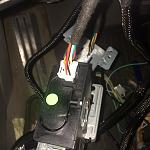
After installing the Dball2pro, I ran into a big issue...
With the help of mystikal, (big tks) to you
First I followed the instructions I connected the brake sensor
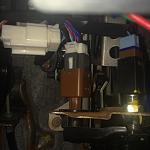
The OBD2 to the new bracket.
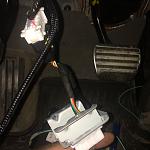
I then connected White/Green- T-tap to the Push to Start brown wire (#4)
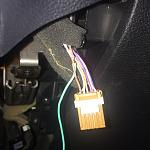
I ran my wire to the Green BCM plug, pin #37
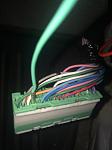
and boy it was a pain to open, I was to scare it would break.
I also connected the T-harnes to the keyport
With the help of mystikal, (big tks) to you
First I followed the instructions I connected the brake sensor

The OBD2 to the new bracket.

I then connected White/Green- T-tap to the Push to Start brown wire (#4)

I ran my wire to the Green BCM plug, pin #37

and boy it was a pain to open, I was to scare it would break.
I also connected the T-harnes to the keyport

Premier Member
Joined: Dec 2012
Posts: 773
Likes: 50
From: Ontario canada
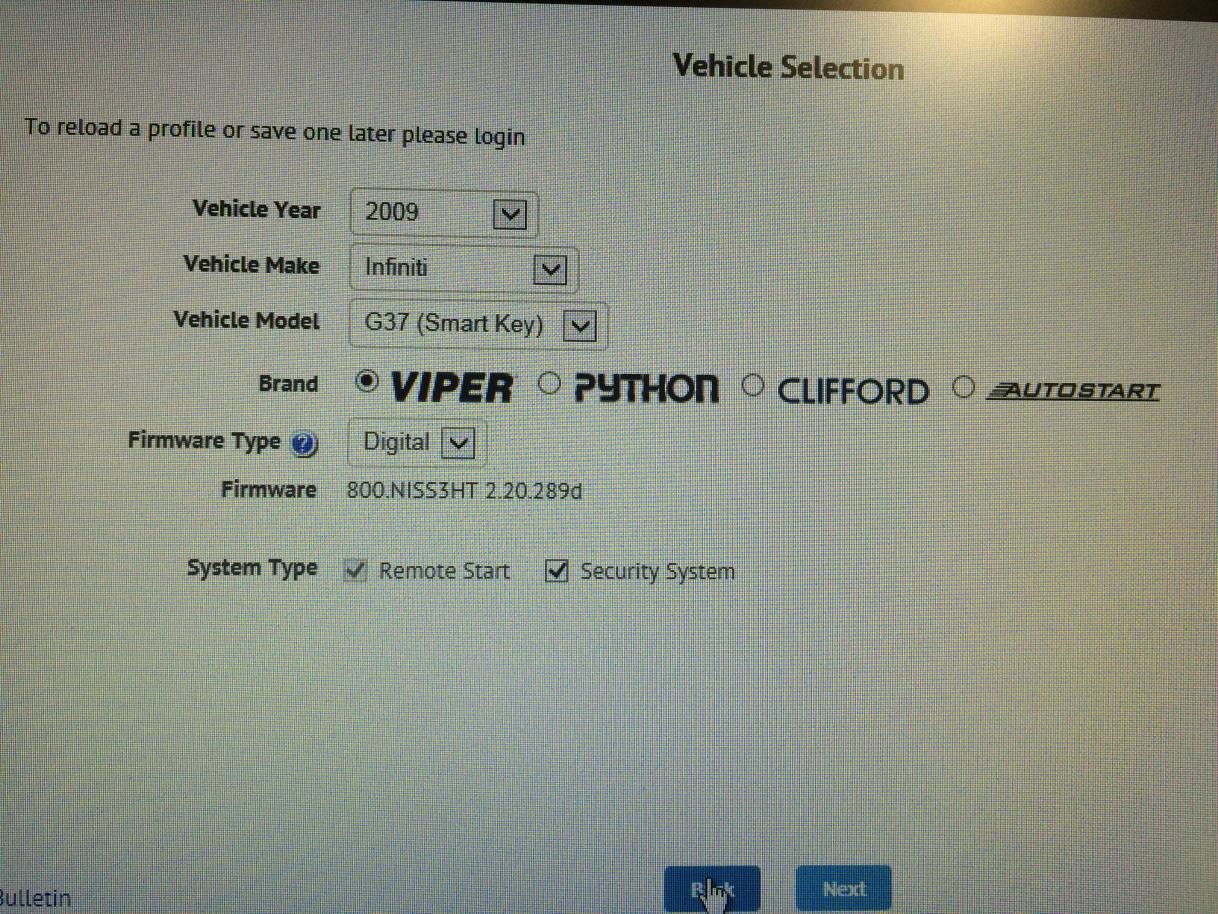
I input the vehicle type
choose Viper as the brand.
Check remote start box
I made sure to use firmware: 800.NISS3HT v.2.20.289d.
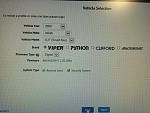
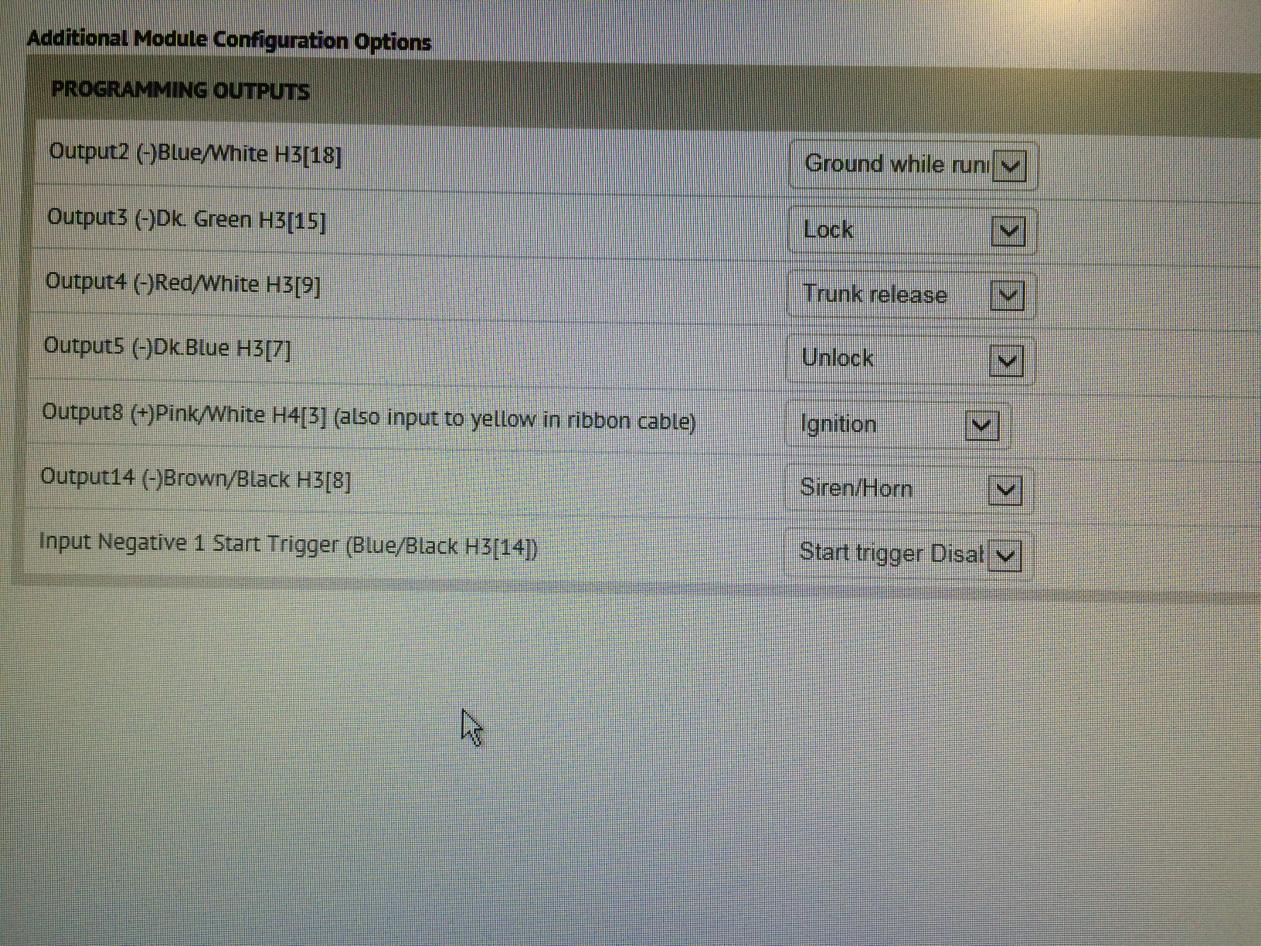
I didn't change to much of the options but let me know if there is something I should change tks. I didn't see the virtual tach.
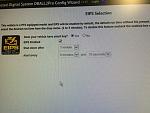
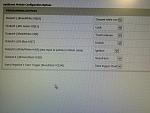
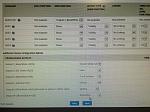
I then flash it and it seem to be successful
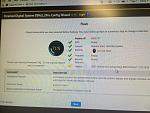
choose Viper as the brand.
Check remote start box
I made sure to use firmware: 800.NISS3HT v.2.20.289d.
I didn't change to much of the options but let me know if there is something I should change tks. I didn't see the virtual tach.


I then flash it and it seem to be successful

Premier Member
Joined: Dec 2012
Posts: 773
Likes: 50
From: Ontario canada
Then I plugged the module in tried to program it.
as soon as the device was connected the light flashes more then 5sec.
Here's a mini clip of what happen
I did follow the module reset on pg 21 of the manual, but for some reason it kept doing the same thing, I also tried a hard reset and went back inside to do a flash and I keep getting the same result?
At one point I thought the program was successful because when I press the brake pedal, a solid green light came on and turned off on the Dball2pro.
the wires seems to be connected correctly
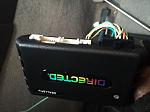
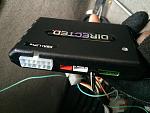
When I hit the lock 3x, there's no response.???
If anyone else is having the same problem let me know.
And once again Big thanks to Mystical too for his help.
as soon as the device was connected the light flashes more then 5sec.
Here's a mini clip of what happen
I did follow the module reset on pg 21 of the manual, but for some reason it kept doing the same thing, I also tried a hard reset and went back inside to do a flash and I keep getting the same result?
At one point I thought the program was successful because when I press the brake pedal, a solid green light came on and turned off on the Dball2pro.
the wires seems to be connected correctly


When I hit the lock 3x, there's no response.???
If anyone else is having the same problem let me know.
And once again Big thanks to Mystical too for his help.
Premier Member
Joined: Dec 2012
Posts: 773
Likes: 50
From: Ontario canada
Update
I will make it fast because I have training in the morning at 9am and its almost 2 lol, after finishing work around 11pm went home on a mission to make sure the Dball2pro would be install properly lol, with the help of mystikal again and his patience we prevail in this cold -12 degrees (
the virtual tach was located under remote start features
after many installation/removal of the device, flashing and reprogramming and harassing mystikal via text at 1 am lol, finally he recommended me to cut and make sure the loop is cut on the device for the automatic car
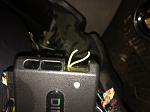
reprogrammed it, and Voila
and here is where I installed the Dball on the bracket
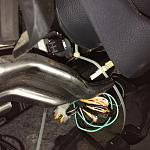
Cheers again to mystikal if you want to add something feel free. and hope you all install it too.
Goodnight lol.
(the virtual tach was located under remote start features
after many installation/removal of the device, flashing and reprogramming and harassing mystikal via text at 1 am
lol, finally he recommended me to cut and make sure the loop is cut on the device for the automatic car
reprogrammed it, and Voila
and here is where I installed the Dball on the bracket

Cheers again to mystikal
if you want to add something feel free. and hope you all install it too.Goodnight lol.
Last edited by flipmode007; Dec 2, 2014 at 02:05 AM.