


Backup Camera Image Request


Backup Camera Image Request
So I installed the OEM rear spoiler a couple months ago and, like a few others here have already posted, the backup camera is now showing more of the trunk than it did without the spoiler. I realize that the location and angle is definitely different physically and am prepared to just accept that this is just the way it is but I thought I'd ask for help determining whether it is just that way with the spoiler or if it can be adjusted. I've done a search on the site already for this issue and see where a handful of people have posted about it but there's not been a clear answer posted yet. I'm also familiar now with the special menu where there appears to be a number of things that you can change for the camera. I am a little leery of messing around too much but I have tried changing the two or three settings that seem to be for adjusting the height of the camera. Nothing that I've tried has done anything to the angle of the camera view. I tried both higher and lower numbers than what was there when I opened it up for the first time.
So, would those of you who bought your car with the factory rear spoiler already installed from the dealer post a picture showing what the backup camera image looks like when you are in reverse? I'd like to compare that to what I now see and figure out if they are the same. I think this would be helpful for anyone else in the future who may come looking for the answer to this issue.
Actually, it would be nice if a couple of you without the rear spoiler would post a picture of the backup image too. Just for reference.
In addition, if you have added a factory rear spoiler to your car and have figured out how to adjust the image, please share what you did here. Or, if you've already posted it and I've missed it, please post a link here.
I have a 2011 sedan so I'm looking pictures from 2010 and newer sedans but if I get the previous year sedans posted too, I'll be sure to show the differences. Being that this is in the sedan section I'm not too sure how many coupe owners would see this but I'm happy to create a post in the coupe section to show those differences too if the pictures are posted here.
Let me know if you have any questions.
Thanks in advance to anyone who helps with this!
Jeremy
So, would those of you who bought your car with the factory rear spoiler already installed from the dealer post a picture showing what the backup camera image looks like when you are in reverse? I'd like to compare that to what I now see and figure out if they are the same. I think this would be helpful for anyone else in the future who may come looking for the answer to this issue.
Actually, it would be nice if a couple of you without the rear spoiler would post a picture of the backup image too. Just for reference.
In addition, if you have added a factory rear spoiler to your car and have figured out how to adjust the image, please share what you did here. Or, if you've already posted it and I've missed it, please post a link here.
I have a 2011 sedan so I'm looking pictures from 2010 and newer sedans but if I get the previous year sedans posted too, I'll be sure to show the differences. Being that this is in the sedan section I'm not too sure how many coupe owners would see this but I'm happy to create a post in the coupe section to show those differences too if the pictures are posted here.
Let me know if you have any questions.
Thanks in advance to anyone who helps with this!
Jeremy
76 views but no replies. So I thought, why don't I post pictures of what my camera settings are set to and see if they match what others see in their settings. Again, though, please tell me if you had the factory spoiler installed as a part of the package you purchased or if you added it yourself. I'm curious as to whether there are any differences. If there are, I'd like to put those settings into my car and see if that solves the problem.
So here's my settings. First a shot of what the image looks like when it comes on in reverse.
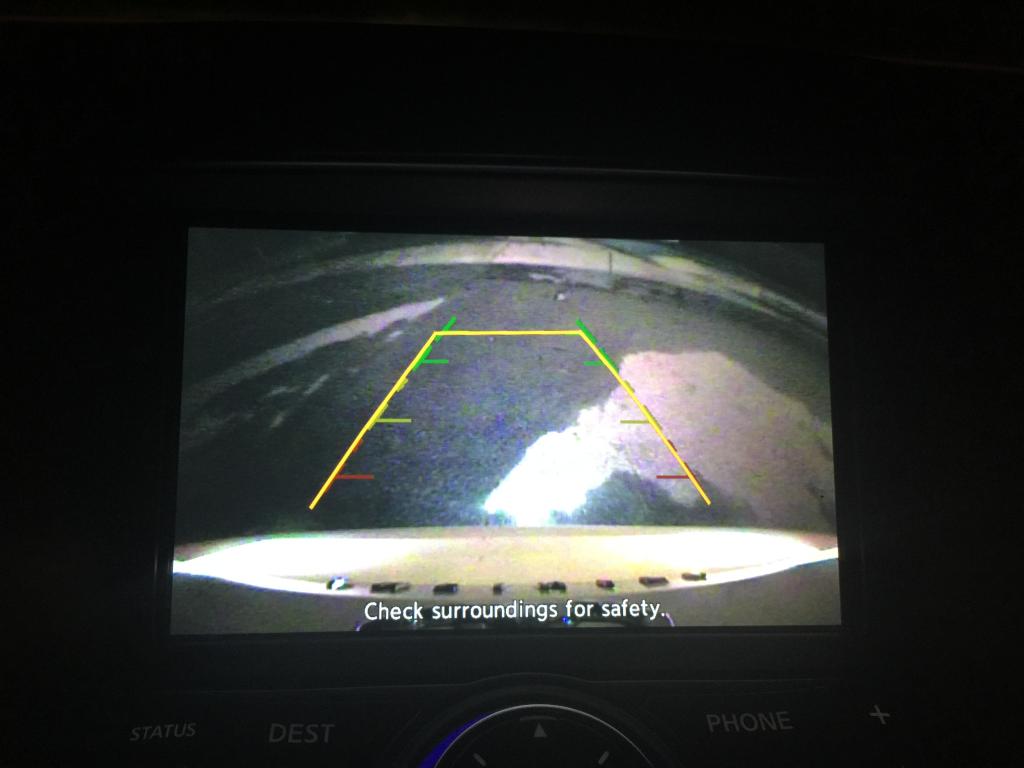
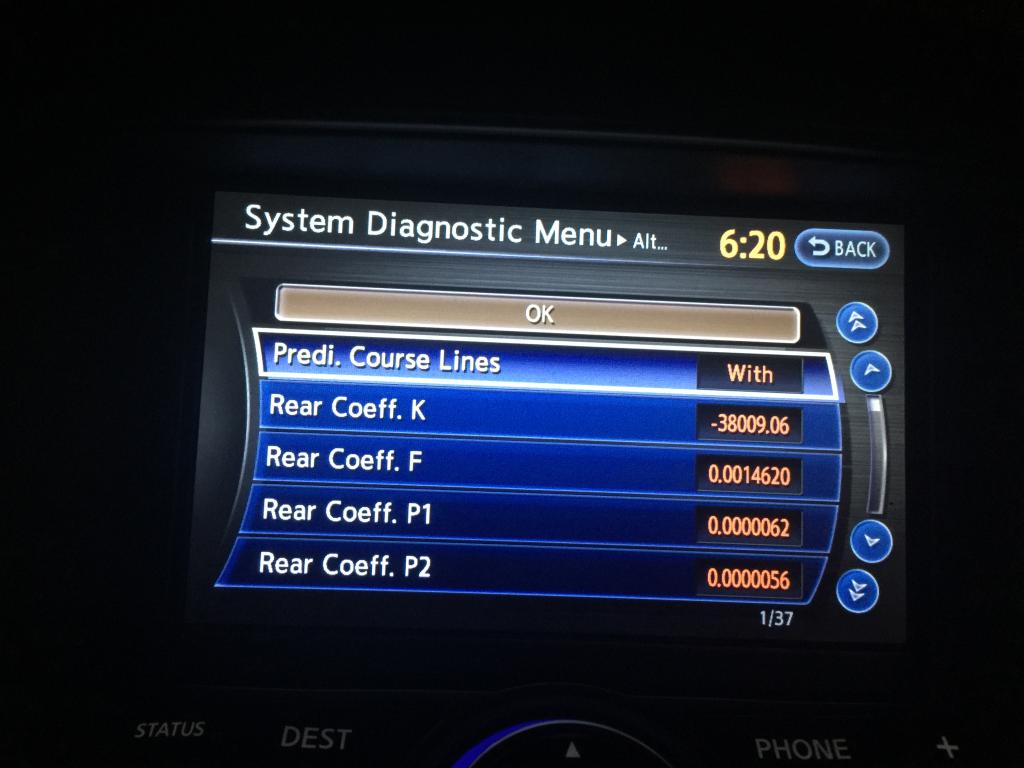
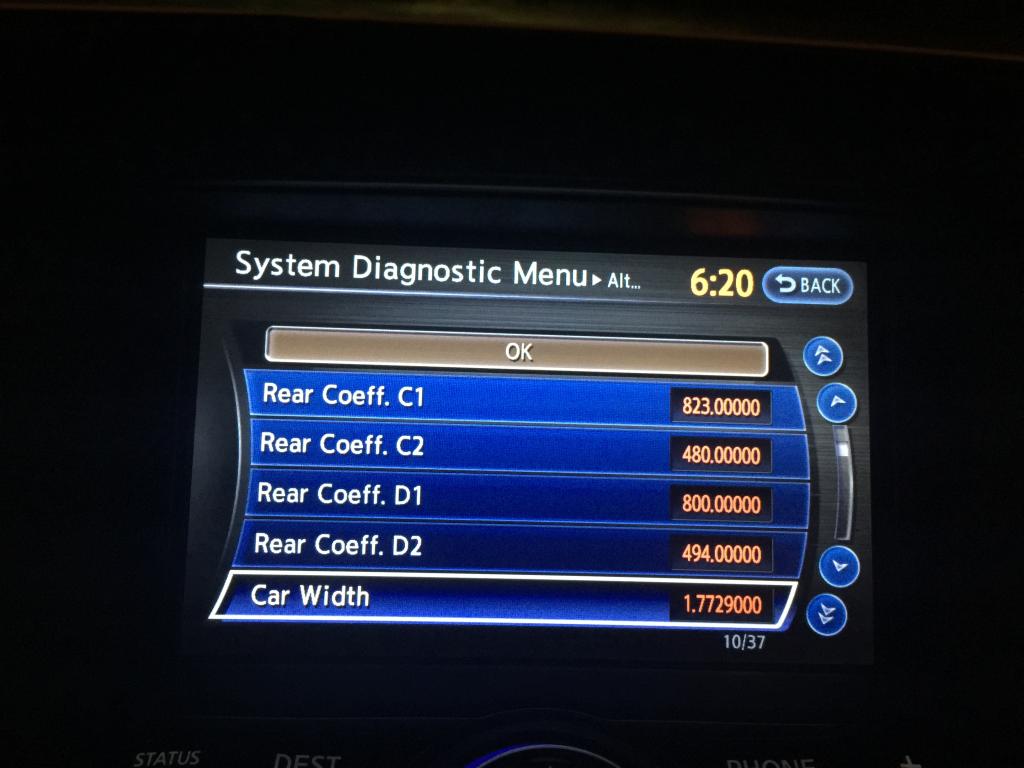
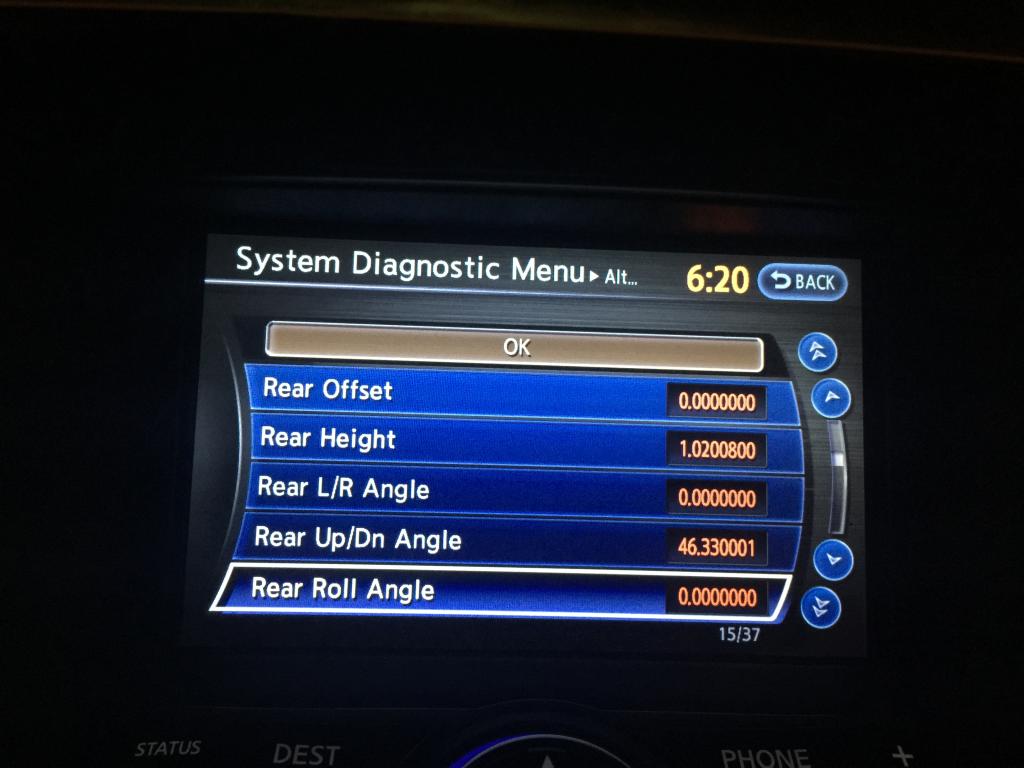
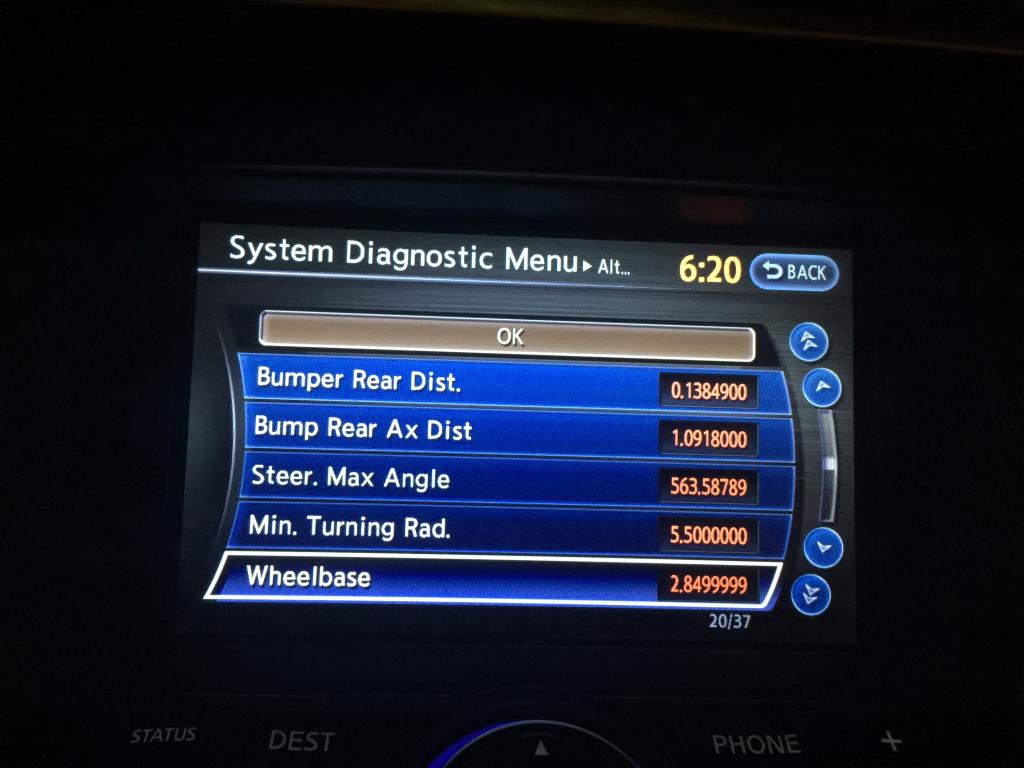
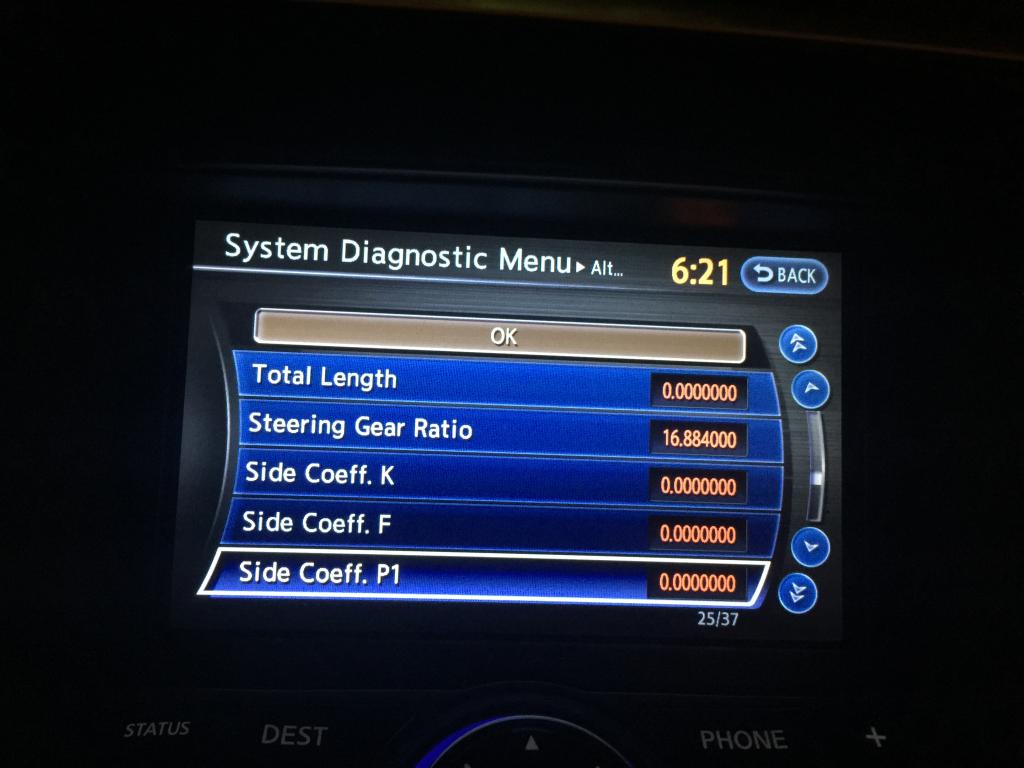
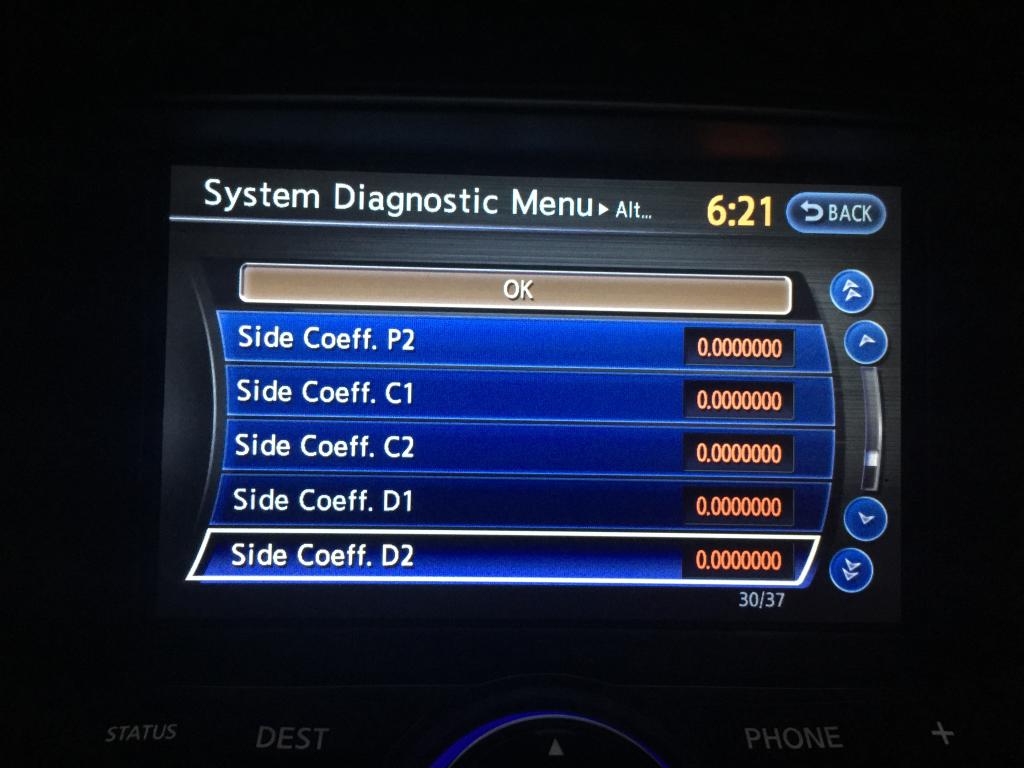
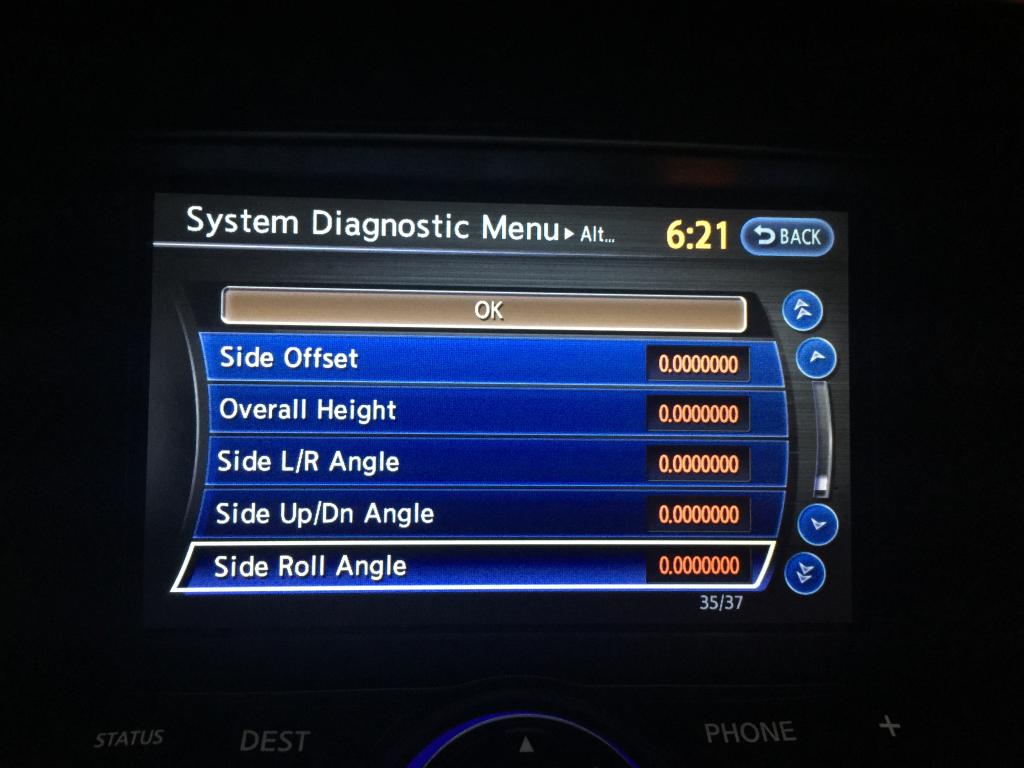
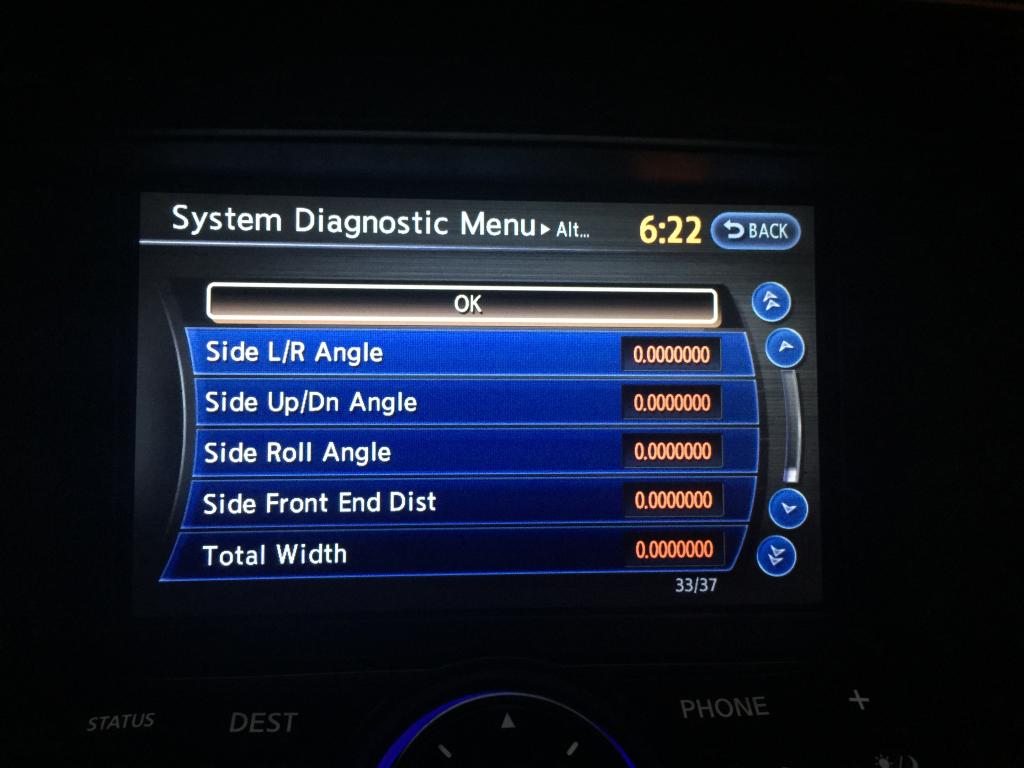
So here's my settings. First a shot of what the image looks like when it comes on in reverse.


From reading here, it seems like there is a way to adjust the camera from within these settings but the more I think about it, the more I think it isn't possible. There would have to be some motors in the camera housing to adjust the angle and I don't think it does.
Anyhow, we'll see. Hopefully more people will post pictures to verify. Of the image while in reverse and of the camera settings in the diagnostic menu.


slartibartfast, do you mind posting pictures of your camera settings like the ones I've posted above? Also a picture of what your image looks like when you put the car in reverse? That would help a LOT!
By the way, love your screen name. Great movie. Even better book!
Last edited by jsampsell; Dec 5, 2014 at 03:09 PM.
Trending Topics

I have never uploaded photos to my ISP and I'm not thrilled with PhotoBucket and their ilk. If I can figure out how to upload, I'll take photos.

Thread
Thread Starter
Forum
Replies
Last Post