


Back Up Camera Terrible Contrast? Common


Thread Starter
Registered User
Joined: Jan 2010
Posts: 706
Likes: 0
From: Riverside, CA
Back Up Camera Terrible Contrast? Common
So I have noticed that my back up camera blows. I can't see anything really other than some outlines when backing up in the morning. It's almost like it's way out of brightness calibration. Is this common/normal? I guess I can see a person but other than that it's very difficult to see much else clearly.,\
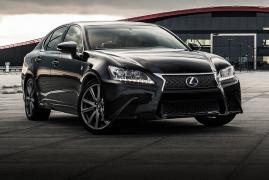
Not normal at all, mine has a great resolution. Is it possible to snap a photo or video of what your screen looks like? Very carefully of course...
It might need to be looked at by your dealership.
It might need to be looked at by your dealership.

Registered User
Joined: Jun 2010
Posts: 414
Likes: 2
From: San Jose, CA
what for?
try to clean the outside of the camera len cover and check the inside.
So I have noticed that my back up camera blows. I can't see anything really other than some outlines when backing up in the morning. It's almost like it's way out of brightness calibration. Is this common/normal? I guess I can see a person but other than that it's very difficult to see much else clearly.,\


My back up camera looks so good I use it to take wide angled pictures. I just grab my dslr and take pictures off the screen inside the car. Looks great.
Time to take yours to Riverside.
Time to take yours to Riverside.

Registered Member
Joined: Apr 2009
Posts: 617
Likes: 2
From: Southern NH
Someone may have messed with your settings. This is on Page 4-24 of the '09 Owner's Manual - you should read the tips as well:
is not running.
HOW TO ADJUST THE SCREEN
To adjust the Display ON/OFF, Brightness, Tint,
Color, Contrast and Black Level of the RearView
Monitor, push the
Color, Contrast and Black Level of the RearView
Monitor, push the
SETTING button with the
RearView Monitor on, select the item key and
adjust the level using the INFINITI controller.
Do not adjust the Brightness, Tint, Color, Contrast
and Black Level of the RearView Monitor
while the vehicle is moving. Make sure the
parking brake is firmly applied and the engine
RearView Monitor on, select the item key and
adjust the level using the INFINITI controller.
Do not adjust the Brightness, Tint, Color, Contrast
and Black Level of the RearView Monitor
while the vehicle is moving. Make sure the
parking brake is firmly applied and the engine
is not running.
Trending Topics

Registered User
Joined: Mar 2003
Posts: 104
Likes: 1
From: Wash DC metro


Thread Starter
Registered User
Joined: Jan 2010
Posts: 706
Likes: 0
From: Riverside, CA
Yeah I did that, I need to try it again tomorrow when I leave for work. I did try it the other day and it helped so I just need to see if I can now see backing out of my driveway. Before it was pretty black.
Odd how it would have been changed.
Odd how it would have been changed.
Registered Member
Joined: Apr 2009
Posts: 617
Likes: 2
From: Southern NH


Thread
Thread Starter
Forum
Replies
Last Post
